

Have you ever opened your electric bill and thought, “How is this possible? I was barely home!”
Well, you’re not going crazy. Your house is haunted… by tiny, energy-sucking vampires. Okay, not literally. But you do have a bunch of devices secretly sipping electricity 24/7, even when they’re turned “off.” Experts refer to it as “phantom load” or “vampire power.” Think of them as lazy little freeloaders living in your outlets. They’re not doing any real work, but you’re still paying their rent.
And it’s not just a few pennies. This vampire power accounts for 5% to 10% of your home’s total energy use, costing the average U.S. household up to $100 a year, according to the U.S. Department of Energy. Nationally, this wasted energy costs Americans a staggering $19 billion a year—enough to power 11 million homes.
But this isn’t just about your wallet. It’s about your safety. Leaving things plugged in creates a constant, low-level fire risk. Here’s the wild part: you’d think new, energy-efficient gadgets would solve this, right? Nope. While individual devices are consuming less power than they used to, we continue to add more of them.
Research by Parks Associates found the average U.S. household now has 17 connected devices. So, while each one is a tiny vampire, the whole swarm is still draining your power and your bank account.
Ready to fight back? Here are the 14 things experts say you should absolutely unplug before you leave the house.
Your Entire Entertainment Center
Your TV, cable box, and sound system are the ringleaders of the vampire council. These devices are designed for convenience, meaning they never truly turn off. They’re always in a standby state, waiting for a signal from your remote.
The cable box is one of the worst offenders. It’s constantly updating program guides and running its internal software. The NRDC’s Home Idle Load study shows that many always-on devices contribute to a household’s idle or “vampire” load (devices that draw power even when not actively used).
Beyond the cost, these sensitive electronics are prime targets for power surges. A nearby lightning strike or a simple grid fluctuation can send a jolt through the lines and fry their expensive internal components.
The easiest solution? “Plug the entire system into a single power strip,” experts advise. “This lets you cut power to everything with one flip of a switch”. Grouping these devices on a power strip is the single easiest way to save money.
Video Game Consoles
That “Instant-On” feature on your game console is instantly draining your wallet. Modern consoles like the PlayStation 5 and Xbox Series X are designed to be always connected for quick startups and background game updates. But that convenience has a hidden cost.
According to research by NRDC, an Xbox Series S Console in “Instant-On” mode, for example, consumes about 9 to 10 watts continuously. Switching it to its “Energy-Saving” mode drops that to less than a watt. That simple settings change can save you about $15 a year in electricity costs.
Just like your TV, these complex and expensive machines are highly vulnerable to damage from power surges. Unplugging is the only way to guarantee their protection.
Financial bloggers at Solaris Renewables, a company that provides solar energy solutions, point out that entertainment systems, including consoles, can rack up “$75 to $160 per year in passive energy consumption alone”. The best practice is to dive into your console’s settings and enable “Energy-Saving” or “Eco” mode. It might add 15 seconds to your boot-up time, but it slashes that vampire power drain.
Switching to energy-saving mode is a free fix, but unplugging is the only way to protect your expensive hardware from surges.
Desktop Computers and Their Monitors
Putting your computer to “sleep” doesn’t stop it from quietly costing you money. When your computer is in sleep mode, it’s not truly off. It’s still sipping power to keep its memory active so you can jump back in right where you left off.
The bigger concern is a power surge, which can be catastrophic for a computer. A sudden jolt of electricity can fry your hard drive, motherboard, and other serious components, potentially wiping out all your precious files and photos in an instant.
According to the U.S. Department of Energy (DOE), turning off and unplugging your computer not only saves money but also “extends its lifespan”. For a home office, the best habit is to “plug your computer, monitor, printer, and speakers into a single power strip that can be easily turned off at the end of the day”. Shutting down completely and flipping off a power strip protects your data and saves you money.
That Home Office Printer and Scanner
Your printer is likely wasting energy even when you haven’t printed a page in weeks. Unless you’re running a busy home office, your printer probably sits idle most of the time. But as long as it’s plugged in, it’s in a “ready” state, consuming power.
According to the Environmental Literacy Council, an average inkjet printer draws 3 to 5 watts in standby mode, waiting for a print job that may never come. Laser printers are even worse, using a significant amount of energy to keep their heating elements (fusers) warm and ready to go. While the annual cost might be modest, it’s a completely avoidable expense for a device used so infrequently.
And like any electronic device, a faulty circuit board or an old power cord can pose a fire risk if left plugged in and unattended 24/7. If you only print a few times a month, there’s no reason to keep this device powered on 24/7.
Your Modem and Wi-Fi Router
Your router works 24/7 to keep you connected, but it deserves a vacation, too. This one is a little different. You definitely shouldn’t unplug your router every night, as it needs to stay on to receive important security updates and perform routine maintenance.
However, if you’re leaving for a week-long trip, it’s a different story. EnergySage estimates that routers typically use between 5-20 W; the lower-end (around 6-10 W) used continuously results in an annual electricity cost of about U.S. $12-13, depending on local rates. It’s not a huge amount, but why pay for it when no one’s home to use the Wi-Fi?
The more compelling reason to unplug before a vacation is safety. A lightning storm can send a powerful surge through your cable or phone line, instantly frying both your modem and your router. Don’t unplug it every night, but for a week-long vacation, pulling the plug is a wise move.
The Army of Chargers for Phones, Laptops, and Tablets
Every charger plugged into your wall is a tiny, pointless energy leak. Let’s be clear: the cost of a single phone charger left plugged in is minuscule, maybe a quarter a year. A family of four could have 40 chargers scattered around the house for phones, laptops, tablets, smartwatches, and power tools.
The real issue here isn’t the cost; it’s the fire risk. This is a major hazard that fire departments are increasingly warning about. Constantly leaving any charger plugged in can cause it to overheat, creating a serious fire risk, especially if it’s a knock-off brand.
The U.S. Fire Administration’s (USFA) advice is simple and applies to all small electronics: “Unplug small appliances when you are not using them”. That includes your chargers. The dollar savings are small, but the fire risk is real—especially with cheap chargers.
Your Morning Coffee Maker
That little clock on your coffee maker is costing you more than you think. Any appliance that has a digital clock, a timer, or an “auto-on” feature is constantly drawing power. Your coffee maker is a perfect example. It sips a steady 1 to 6 watts, 24/7, just to keep that clock glowing and its timer ready.
Sure, it only adds up to a few dollars a year, but it’s for a function you probably don’t even need. You have a clock on your phone, your microwave, your oven… why pay for another one?
More importantly, small kitchen appliances with heating elements are a leading cause of electrical fires. In rare cases, faulty units have even been known to turn themselves on. Unplugging your coffee maker eliminates a fire risk and stops a needless energy drain.
The Microwave Oven
Your microwave’s clock is one of the sneakiest energy vampires in your kitchen. Just like the coffee maker, your microwave’s digital clock and touchpad display require a constant stream of electricity to stay on.
This standby power consumption is typically around 2.4 watts. That doesn’t sound like much, but over the course of a year, that single, tiny clock can add over $6 to your electricity bill. It’s a small but completely unnecessary expense.
While the fire risk for modern microwaves is very low, some older models have reportedly turned themselves on due to malfunctions, creating a serious hazard if anything flammable is inside. You have a clock on your phone; you don’t need to pay $6 a year for the one on your microwave.
The Toaster or Toaster Oven
That humble toaster is considered more dangerous than a shark—when it’s left plugged in. While a simple pop-up toaster doesn’t use much standby power, models with digital displays do.
But the real reason to unplug this appliance is safety. The USFA notes that electrical malfunctions in small appliances are a significant cause of home fires. Toasters are a top offender because crumbs can easily build up inside and ignite, or a faulty circuit can cause the heating elements to activate unexpectedly.
Save this article
Your toaster is a key failure point that’s easy to eliminate. The fire risk from a malfunctioning toaster far outweighs the inconvenience of unplugging it.
Other Small Kitchen Gadgets
Your air fryer, Instant Pot, and blender are all part of the phantom load problem. Take a look around your kitchen counters. Your blender, stand mixer, air fryer, and multi-cooker—many of them now have digital displays, touch screens, or indicator lights that draw standby power.
While specific standby data for every single gadget isn’t widely available, the rule of thumb from experts is that any device with an LED display or a blinking light is using power even when “off”. Modern appliances like air fryers and Instant Pots have complex electronics that remain in a low-power state as long as they’re plugged in.
The primary risk, especially with heating appliances like air fryers, is fire. A malfunction while you’re away could be disastrous. Unplugging them removes that risk entirely. The advice from the electricians at ServiceOne is straightforward: “When not in use, try unplugging things like toasters, coffee makers and food processers!…small kitchen appliances can actually use quite a bit of energy even when they are not in use”.
Electric Toothbrush Chargers
Your toothbrush charger is sipping power 24/7, even though you only brush for four minutes a day. That little stand your electric toothbrush sits on is constantly drawing a small amount of power to be ready to charge. Leaving it plugged in all year might only cost you a few dollars, but it’s for zero benefit. Your toothbrush holds a charge for days, if not weeks. It doesn’t need to be constantly topped up.
The safety risk is low, but as with any charger, there’s always a small possibility of overheating or malfunction, especially if the unit is old or the cord is damaged. Charge your toothbrush when it needs it, then unplug the charger from the wall.
Those Little Night Lights
That comforting glow from your night light comes with a year-round energy cost. The cost of running a night light depends entirely on what kind of bulb it uses. An old-school incandescent night light can use up to 7 watts, which could cost you more than $6 a year to leave on continuously.
Modern LED night lights are much, much better, using only about 0.5 to 2 watts. That might only cost you $1 a year, but if you have one in every hallway and bathroom, those dollars start to add up.
The safety risk is minimal with modern, well-made night lights, but any device plugged into an outlet carries a theoretical risk of an electrical fault. If no one is home to need them, there’s no reason to leave them plugged in.
Your Washer And Dryer
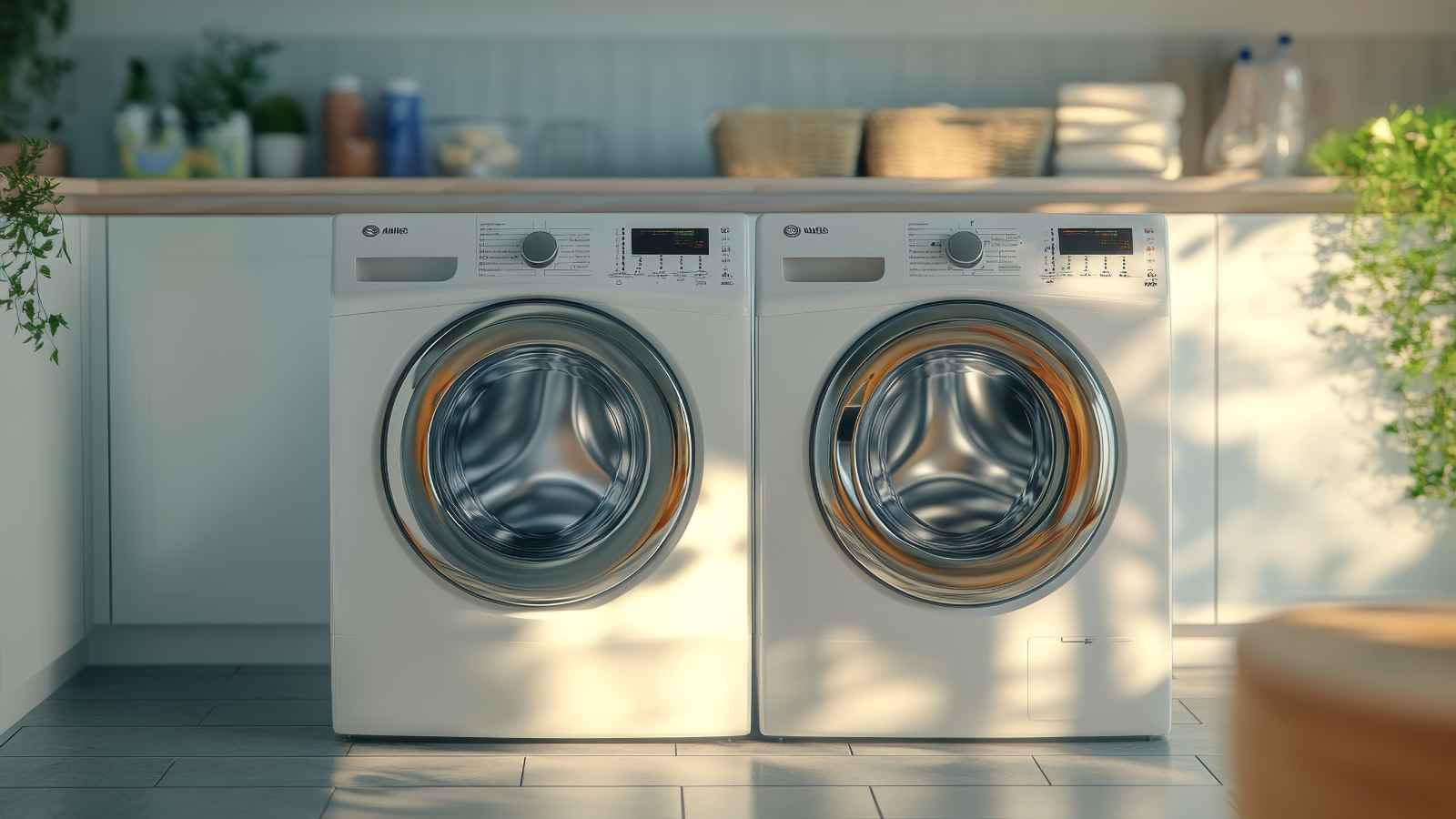
Your laundry machines are still working even after the spin cycle ends. If you have a newer washer and dryer, chances are they have fancy digital displays, touch buttons, and maybe even Wi-Fi connectivity. All those smart features require a constant supply of standby power to keep their sensors and screens active.
More critically, clothes dryers are a known fire hazard. While most of these are caused by lint buildup, electrical failure is also a contributing factor.
Seasonal Items Like Space Heaters and Fans
Out of sight shouldn’t mean out of mind—or still plugged into the wall. This might seem obvious, but it’s an easy one to forget. Your portable air conditioner in the summer and your space heater in the winter often have standby functions, needlessly drawing power for months when they’re not in use.
The risk here is huge, especially with space heaters. They are a major cause of home fires because they draw a lot of power and can easily overheat or ignite flammable materials placed too close to them. Unplugging them after every single use is a fundamental safety measure recommended by all fire safety experts.
Key Takeaway
This isn’t about being paranoid; it’s about being smart. A few simple habits can save you real money and make your home significantly safer. If you remember nothing else, remember this:
- Slay the Vampires, Save Your Wallet: Unplugging unused devices can save the average household $100-$200 per year on electricity.
- Prioritize Safety: The biggest reason to unplug small appliances (especially those with heating elements) and chargers is to reduce the risk of electrical fires and power surge damage.
- Use Power Strips: You don’t have to unplug everything one by one. Group electronics like your entertainment center or home office onto a power strip and turn it off with a single switch. It’s the easiest and most effective habit to adopt.
More articles:
- 12 Reasons People Believe America Is Completely Falling Short
- 12 things that used to be free but now cost money
- 10 money habits boomers see as normal that can lead to financial trouble
13 ways corporate buying is reshaping America’s economy

That checkout shock you feel? Corporations feel it too, but their response is far bigger. Instead of trimming snacks, they buy entire supply chains, reshaping prices, jobs, and even neighborhoods. The Federal Reserve has warned that concentrated supply chains pose risks to resilience.
The U.S. Census Bureau shows employment increasingly tied to large firms. Globally, the FAO notes that nearly 40% of trade is concentrated among a few nations, amplifying the power of corporate buyers. As Milton Friedman, an American economist, once said, “The business of business is business,” and today that business is bulk buying quietly rewiring the U.S. economy, one deal at a time. Learn more.
12 reasons people say “I’d love kids… in a different economy”

Across rich and poor countries alike, people are quietly doing the math and finding that parenthood no longer fits. In the US, the yearly cost of raising just one child has climbed to around 25,714 dollars, up more than 40 percent since 2016.
Over a full childhood, one Brookings estimate places the total cost of raising a child born in 2015 at roughly $ 310,605 by age 17, once inflation is accounted for. Learn more.
10 ways the gig economy is collapsing

The gig economy that once sold freedom and fast cash is now buckling under inflation, lower pay, and a growing wave of worker exits.
The gig economy once promised Americans a dream of total freedom, allowing anyone to be their own boss while setting their own schedule and earning income. But that shiny promise has started to rust under the heavy weight of rising inflation and shrinking payouts. Drivers and delivery workers are finding it increasingly impossible to make ends meet as platforms tighten their belts and everyday expenses eat away at their earnings. Learn more.